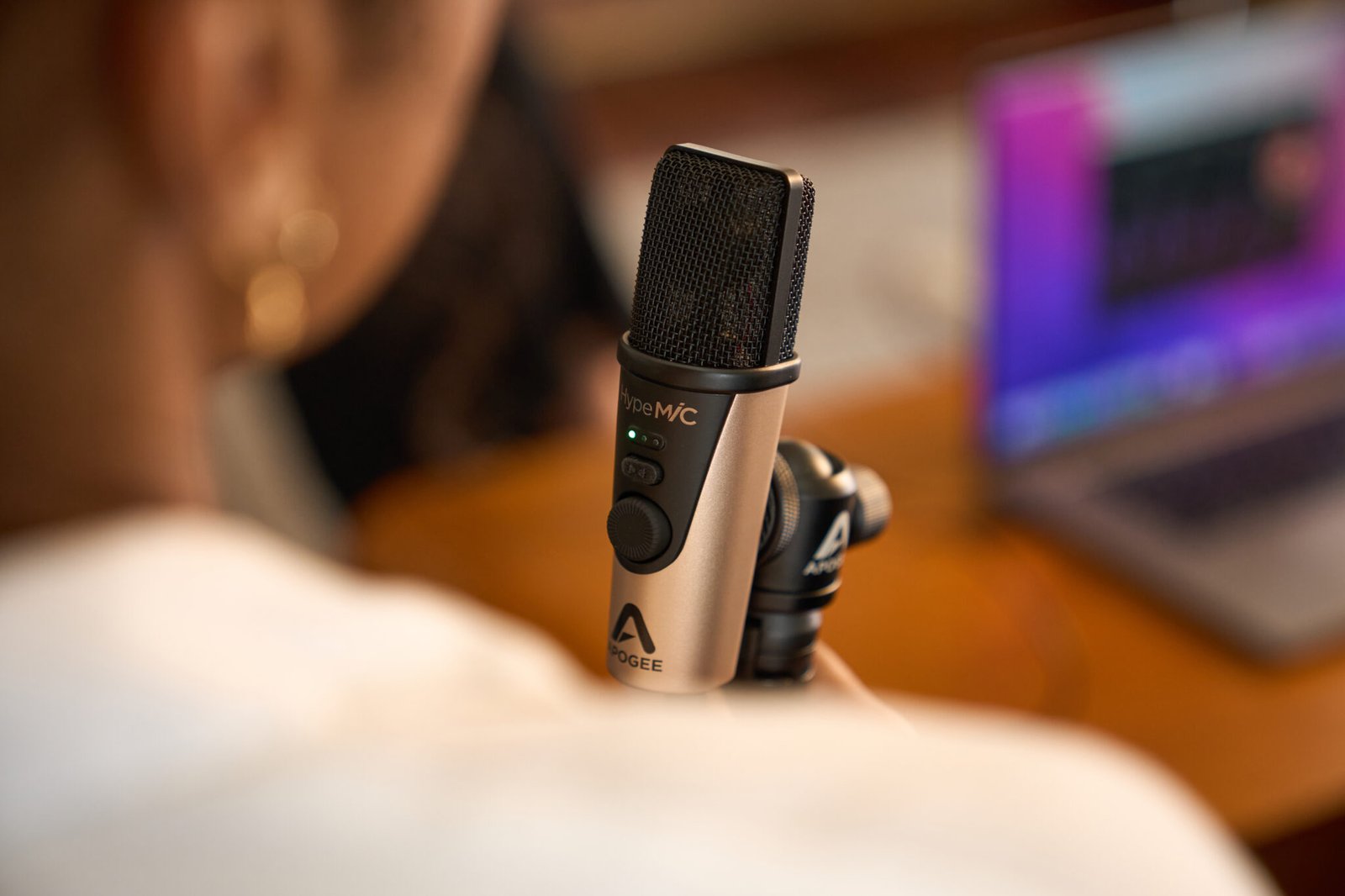
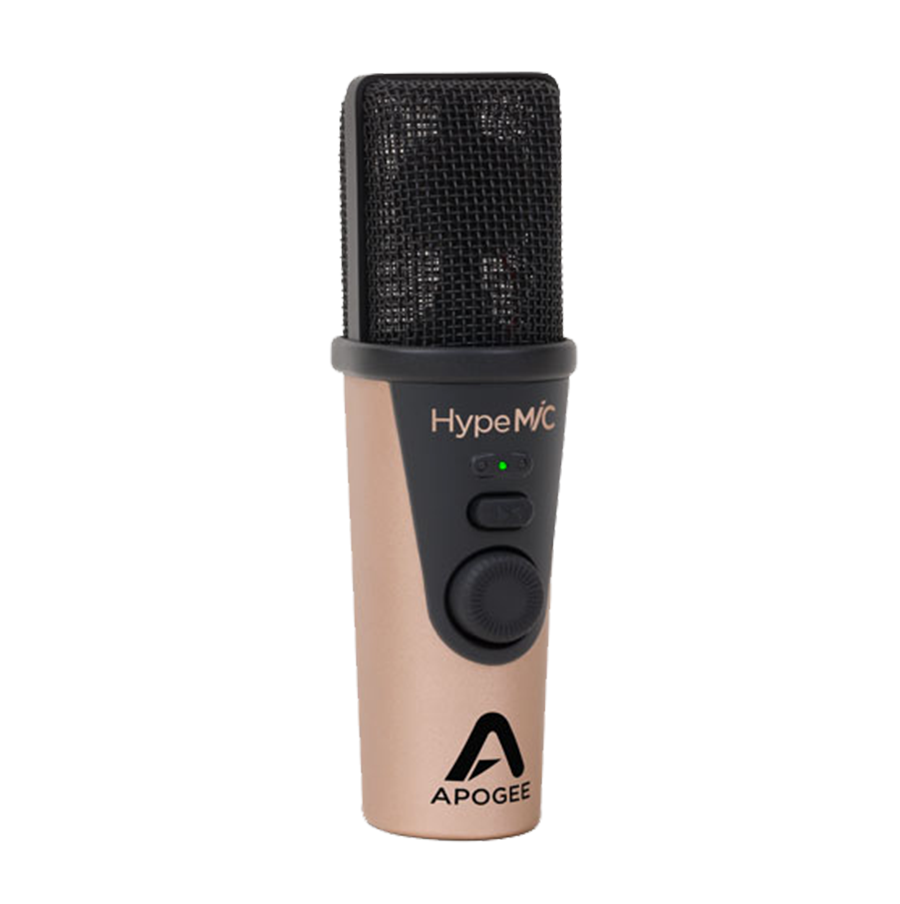
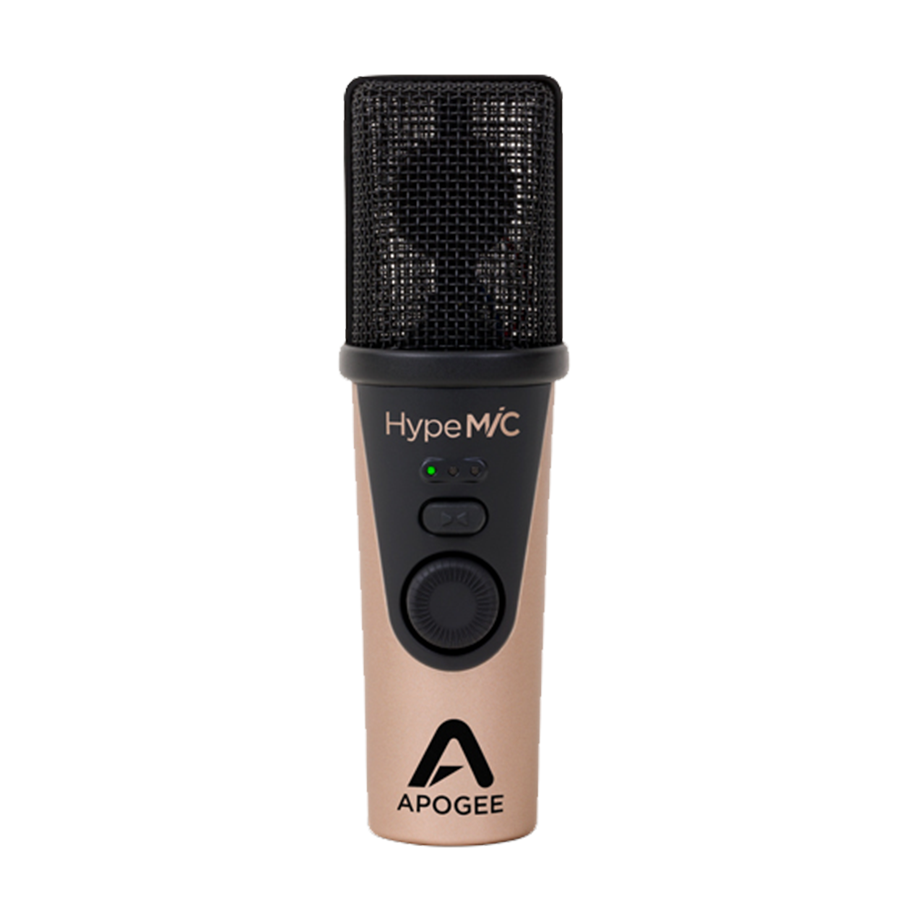
We’ve had the Apogee HypeMiC as a part of our setup for a while, using it for voice calls, recording where necessary, and in a gaming setup. It has become one of the most useful little tools we’ve had. And when we say little, we mean it. It’s small, which makes it even more surprising how good it actually sounds. Let’s dive in…
USB mics have become a staple for podcasters, streamers, and home‑recording vocalists. What if one of them could do more than just record cleanly? The Apogee HypeMiC is that mic. It combines a large‑diaphragm condenser capsule, an integrated analog compressor with three levels of intensity, high resolution USB connectivity (24‑bit / 96 kHz), and useful accessories—built to give you polished sound at the input, not just after the fact.
If you’re after something more than a plug‑and‑play mic—one that helps shape your tone, controls dynamics, and reduces post‑processing—HypeMiC promises to deliver. In this review, I’ll explore how well it lives up to that promise, what its limitations are, and who will benefit most from owning it.
What You Get in the Box
Right out of the box, Apogee gives you more than just the mic:
- The HypeMiC itself (USB connection via Micro‑USB)
- A desktop tripod and a stand adapter so you can mount it to a mic stand.
- A custom pop filter to tame plosives.
- A carrying case for transport and protection.
- Multiple cables: Micro‑USB to USB‑A, Micro‑USB to USB‑C, plus a Micro‑B to Lightning cable for iOS devices.
- Quick start guide and basic documentation.
These extras are generous and make HypeMiC quite usable immediately for streaming, podcasting, voiceovers, or mobile recording.
Key Features & Technical Details
Microphone Capsule, Connectivity & Resolution
The HypeMiC uses a cardioid condenser capsule, favouring sound from directly in front and reducing pickup of ambient noise and reflections. It supports 24‑bit, 96 kHz USB audio, which gives good headroom and clarity when capturing voice or instruments.
Maximum SPL (sound pressure level) tolerance reaches 130 dB (at 1 kHz, 1% THD), which means it can handle loud sources without distortion—important if you might use it for instruments or dynamic vocal performances.
A‑weighted noise floor sits around ‑108 dBFS at 0 dB gain, which is quite low; this helps ensure hiss and ambient noise are minimized, particularly when the mic gain is turned up.
Built‑in Analog Compression
What sets the HypeMiC apart from many USB mics is its onboard analog compressor. This isn’t just digital DSP; it’s analog circuitry that shapes dynamics before they hit your DAW. There are three compression modes:
- Shape It — light compression, for vocals, acoustic instruments, when you want subtle control.
- Squeeze It — a medium setting, useful for when you want some more presence, ideal for podcasts, streaming, or when your voice/instrument has varying dynamics.
- Smash It — heavy compression for more aggressive or broadcast‑style sound, bringing quieter parts up aggressively and keeping peaks well controlled.
You control the compression setting via a knob/push‑button on the mic body. The same knob also handles gain control. The front panel includes LEDs indicating level and which mode is active.
Monitoring & Latency
HypeMiC offers a 3.5 mm stereo headphone output plus a “Blend” control for zero‑latency monitoring (you can mix between direct input and computer playback). This is essential for real‑time feedback without hearing lag.
Compatibility & Usability
The mic works with Mac, Windows, and iOS. Cable options included ensure you can connect to USB‑A, USB‑C, or Lightning devices.
Its physical dimensions are compact: about 124 × 38 × 38 mm, weighing around 200 g. The build feels solid.
Sound & Performance (In Use)
In practice, HypeMiC delivers more than what many USB mics do at this price point. The analogue compression gives you a pre‑processed sound that sits well in the mix, even before EQ or further effects. For singers, this means less surprise when they hear their vocals in playback: quieter parts are audible, peaks are rounded off nicely, especially in “Smash It” mode. In softer recordings or material needing nuance, “Shape It” mode allows a more transparent capture, with just enough smoothing.
The clarity of the microphone is very good, especially in the vocal range. The capsule handles sibilance moderately well; even with the compressor off or in mild mode, there’s clarity without harshness, though being a condenser it still picks up room tone unless your environment is controlled.
The 130 dB SPL handling is useful. I tried recording some louder acoustic guitar strumming and some percussion peeks—there was no obvious distortion until truly excessive levels. That gives flexibility for various use‑cases beyond quiet voice or instrument tracking.
Monitor latency is negligible with the Blend feature, allowing comfortable performance without annoying echoes. The headphone output is adequate; it’s not going to rival high‑end headphone amps, but it’s more than serviceable.
Workflow & Experience
Using HypeMiC is about simplicity with enough control for serious users. Plug in, select it in your recording or streaming software, set gain, choose compression mode. Because there’s analogue compression, you’re getting character at the source, which speeds up workflow: less time needed in post‑production to even out dynamics.
For content creators and podcasters, that means more consistent levels without chasing loud/quiet transitions. The included accessories help: pop filter helps with plosives, tripod lets you place the mic without having to have a full mic stand setup especially useful in small or mobile setups.
One small workflow caveat: because the gain knob/push controls dual functions (gain + compress mode) you do need to get used to how it toggles. Also, in Windows the gain control behaviour may sometimes be less seamless than in macOS or iOS, depending on drivers or host software. Some users report that adjustments at the mic may not always reflect perfectly in Windows gain settings.
Pros & Cons
Pros:
- Built‑in analog compression at the mic level, which gives more ‘mixed’ sound early in the chain
- High resolution recording (24‑bit / 96 kHz) with low noise and high SPL‑handling
- Zero‑latency monitoring via Blend and headphone output
- Solid accessory package (tripod, pop filter, carry case, multiple connection cables)
- Portable, solid build, works across Mac, iOS, Windows
Cons:
- Premium price compared to basic USB mics, but it’s worth it
- Analogue compression, while powerful, limits some flexibility—you can’t bypass or deeply tweak the compression curve like with plugin compressors
Verdict
Apogee’s HypeMiC is aimed squarely at creators who want more than “just clean”. It pushes a mic forward in the signal chain by giving you compression, good gain, and clarity straight out of the gate. For podcasters, streamers, voice‑over artists and mobile recordists, this can cut down post‑production time and help produce more polished results without needing a whole rack of gear.
If you’re working in more demanding, specialised studio environments where you want full control over every dynamic or tonal nuance, HypeMiC may not replace high‑end dedicated preamps or compressors—but it does bridge the gap impressively.
In summary: Apogee HypeMiC offers excellent value for anyone seeking a USB mic with built‑in dynamics control, solid audio fidelity, and a workflow‑friendly design. It’s not perfect, but it delivers a lot of what matters—and in many cases what you need most—right where you need it.